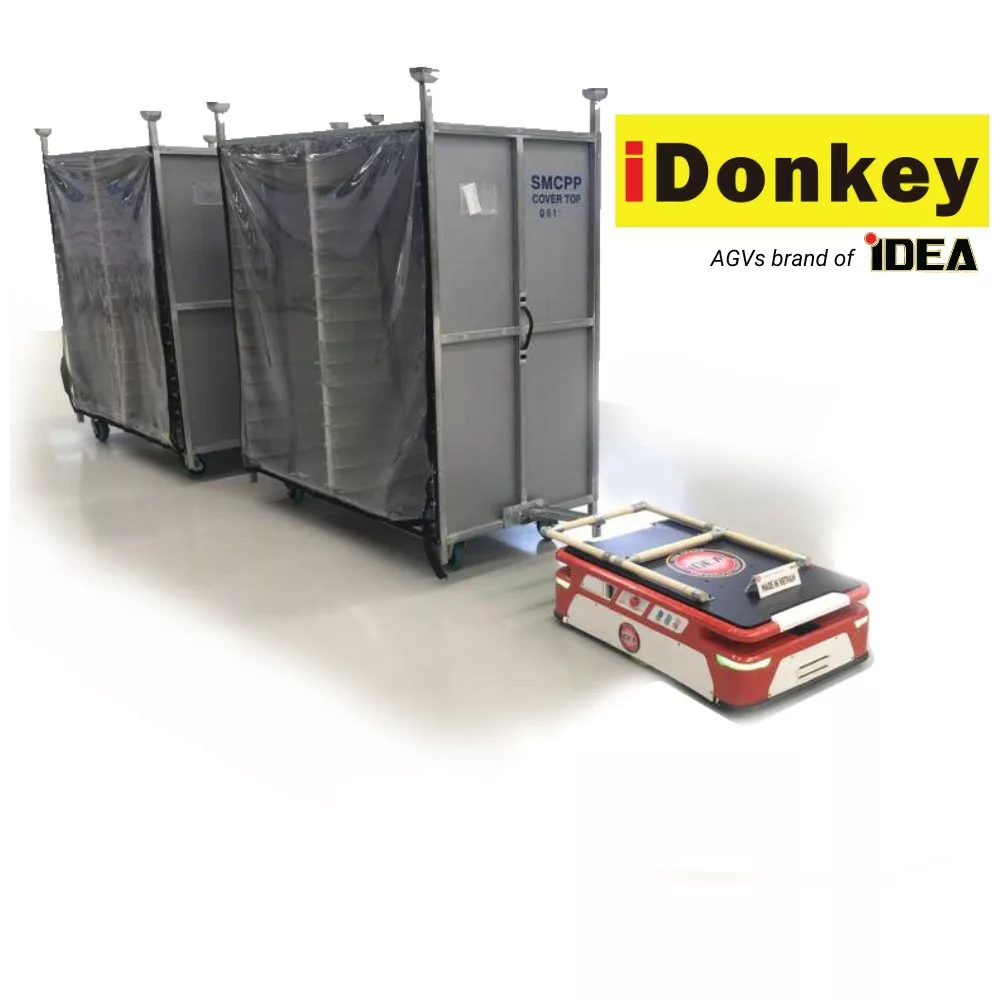

AGV error codes are critical notifications that appear during the operation of AGV autonomous vehicles. Understanding these error codes enables operators to react quickly, ensuring that the equipment operates safely and efficiently.
Below is a summary table of common error codes and warnings found on AGV iDonkey along with their corresponding troubleshooting methods to help operators address issues promptly and minimize operational disruptions.
| Error Code | Error Name | Description | Troubleshooting Method |
| 00 | AGV READY! | AGV is ready. | |
| 01 | BUMPER TRIGGERED | Bumper sensor activated. | Move the obstacle out of the bumper’s operational area. Press reset. |
| 02 | EMERGENCY STOP! | Emergency stop. | Release the Emergency button. Press Reset. |
| 03 | LEFT DRIVER ERROR! | Left motor driver error. | Press Reset. AGV should reset the driver error.* |
| 04 | RIGHT DRIVER ERROR! | Right motor driver error | Press Reset. AGV should reset the driver error.* |
| 05 | DRIVER MOTOR ERROR! | Both motor driver errors. | Press Reset. AGV should reset the driver error.* |
| 06 | DANGEROUS AREA TRIGGERED! | Stopped due to obstruction in a dangerous area. | Press Reset. Move the obstacle out of AGV’s operational area. |
| 07 | AGV OUT OF LINE! | AGV running outside of the line. | Press Reset. Move AGV back onto the line, allow the vehicle to run again. |
| 08 | AGV NOT IN LINE! | Sensor on AGV not positioned on the line when START. | Press Reset. Move AGV onto the line, allow the vehicle to run again. |
| 09 | PID PARAMETER ERROR! | PID parameters not set. | Contact a qualified technician or supplier for setup. |
| 10 | LOW BATTERY! | Low battery voltage (vehicle still operational). | Vehicle operates normally. When reaching the charging station, it will stop and sound an alert for the operator to replace the battery. |
| 11 | VERY LOW BATTERY! | Very low battery voltage (vehicle cannot continue operating). | Turn off the power, replace the battery. |
| 12 | OVER CURRENT! | Over current (overload or obstruction preventing vehicle operation). | Press Reset. Check load, clear any obstructions in front and around the wheels. |
| 13 | NO ROUTE SELECTED! | No route selected. | Set the route on the HMI. |
| 14 | OVERTIME PINTLE! | Timeout while raising or lowering the pintle. | Press Reset. Check for obstructions on the pintle.* |
| 15 | OVERLOAD FOR UPPER PINTLE! | Overload when raising the pintle. | Press Reset. Check for obstructions on the pintle.* |
| 16 | ERROR FOR STATION TROLLEY! | IO error at the running station. | Check the status and position of the trolley at the stations. |
| 17 | TROLLEY MISSING IN ALL ROUTES! | IO not available at all routes. | Check the status and position of the trolleys at the stations. |
| 18 | AGV DISCONNECTED FROM SERVER! | AGV not connected to server. | Check software on the PC server, router, and Wi-Fi repeater… |
| 19 | USB ERROR! | USB error: incorrect format, map file wrongly formatted… | Check the USB format and the naming convention of the file… |
| 20 | CHARGING STATION! | Low battery voltage, halting to recharge. | Turn off the power, charge, and replace the battery. |
| 21 | NOT RECEIVING DATA FROM REMOTE IO! | Unable to retrieve data from remote IO. | Check the remote IO, server, and Wi-Fi repeater… |
| 22 | EEPROM INITIALIZATION ERROR! | Failed to initialize EEPROM read. | Turn off the power, restart after 5 seconds. |
| 102-104 | MODBUS COMMUNICATION ERROR! | Communication errors among PCBs in AGV. | Turn off the power, restart after 5 seconds.* |
| 200-254 | ERROR FOR STATION X TROLLEY! | Status errors for stations, X is the order of pre-set stations. | Press Reset. Check and configure the appropriate trolleys. |
*If resetting and checking does not resolve the error, contact the maintenance department or manufacturer.
Note:
- Always check safety factors before operating the vehicle.
- Perform regular maintenance to ensure stable and durable vehicle operation.
- Advanced installations and troubleshooting should only be performed by qualified personnel or with technical team support.
Understanding AGV error codes and corresponding troubleshooting methods is key for operators to control equipment proactively, safely, and effectively. Especially for AGV lines like iDonkey, error codes are intentionally designed to alert and prevent issues before they affect the entire system. When operators understand and handle correctly, sudden machine stops, collisions, or production interruptions can be minimized.
Proper error management not only ensures operational continuity but also extends the equipment’s lifespan, reduces maintenance costs, and creates a safe working environment for all personnel in the factory or warehouse.
However, with a complex automated system like AGV, it is not always possible to manually or immediately address errors. In cases where error codes cannot be fixed through basic interventions, operators need to quickly contact the technical team or manufacturer for in-depth support to prevent widespread disruptions to other devices and processes.
At IDEA, we not only provide advanced AGV lines such as iDonkey, but we also accompany our customers throughout the usage process—from technical advice and operational training to after-sales support. Whenever you encounter difficulties with the equipment, rest assured that our technical team is always ready to assist you promptly and effectively.